


Deleting a file isn't the same as securely removing it.
When computers, laptops, servers and storage devices are retired, sensitive information can remain on the underlying storage media. Simply deleting files, formatting a drive or resetting a computer may not provide sufficient protection against data recovery.
Telnetworks provides professional drive wiping services Australia-wide. Our Disk Drive wiping services conform to the latest NIST SP 800-88 Rev. 2 guidance – the official U.S Government Standard for media sanitisation.
Once the process is completed, we provide a Certificate of Data Sanitisation for your records.
Protect your business data. Secure your retired drives. Get documented proof of sanitisation.
Securely Wipe Your Business Drives Before They Leave Your Control
Every organisation eventually retires computers and storage devices.
Whether you’re replacing employee laptops, upgrading servers, returning leased equipment or preparing IT assets for recycling, those devices may still contain sensitive business information.
Data can include:
- Customer and client information
- Employee and HR records
- Financial information
- Emails and business correspondence
- Passwords and credentials
- Intellectual property
- Business documents
- Application and system data
- Confidential or commercially sensitive information
A quick delete or format isn’t enough and in most occasions the data is still recoverable.
Our disk drive wiping service is designed to securely sanitise supported storage devices before they are reused, repurposed, recycled or otherwise disposed of.
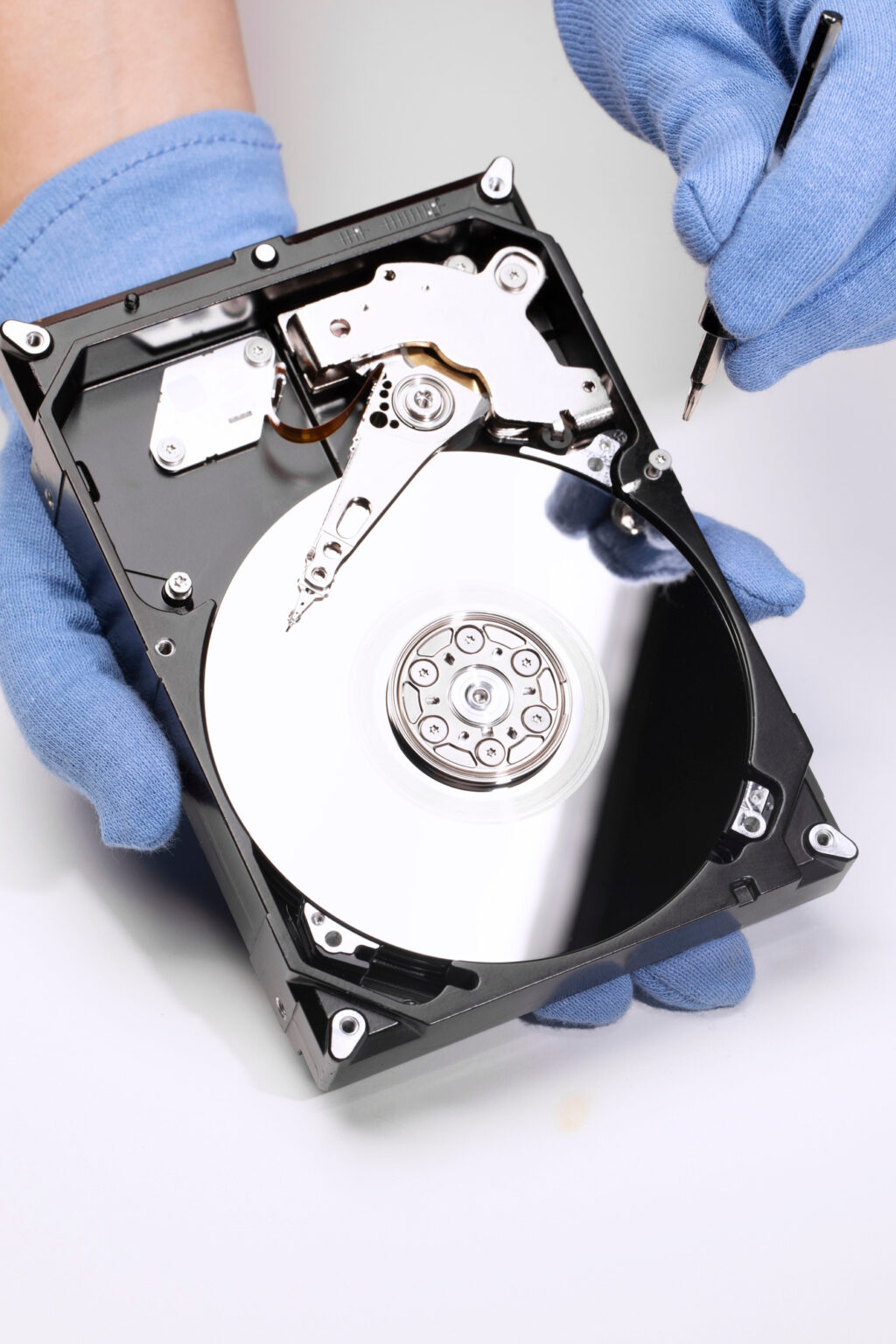
NIST SP 800-88 Rev. 2-Aligned Drive Sanitisation
Our drive wiping process and sanitisation is based on the principles and requirements of NIST Special Publication 800-88 Revision 2 – Guidelines for Media Sanitization.
NIST SP 800-88 Rev. 2 provides guidance for organisations establishing media sanitisation programs and selecting appropriate sanitisation methods based on the type of media, the sensitivity of the information and the intended disposition of the media.
The result is a documented sanitisation process designed to help reduce the risk of sensitive data remaining on retired storage media.
Receive a Certificate of Data Sanitisation
Knowing that a drive has been wiped is important.
Being able to prove it is even more useful.
Following completion of the drive wiping process, Telnetworks provides our customers with a Certificate of Data Sanitisation.
Your certificate provides documented evidence that the specified storage device has undergone the agreed sanitisation process.
This documentation can help businesses maintain records for:
- Internal IT asset management
- Information security processes
- Compliance and governance
- Asset disposal procedures
- Customer or client assurance
- Internal and external audits
This documentation helps businesses keep a clear record of what was sanitised and when.
HDD, SSD & Other Storage Media
Not all storage devices work in the same way.
Traditional hard disk drives use magnetic storage, while SSDs and other flash-based devices use different technologies and internal mechanisms.
This means that the appropriate sanitisation technique needs to take the storage technology into consideration.
Our process is designed for supported storage media including:
Hard Disk Drives
Securely sanitise traditional magnetic hard drives before reuse, recycling or disposal.
Solid-State Drives
Apply an appropriate sanitisation approach for supported SSD storage technologies.
Laptop & Desktop Drives
Sanitise storage media removed from retired business computers and employee devices.
Server Drives
Help securely sanitise drives from decommissioned servers and IT infrastructure.
External & USB Storage
Reduce the risk of sensitive information remaining on supported external storage devices.
Not sure whether we can wipe your particular drive?
Contact our team and we’ll help you determine the appropriate approach.
Why Choose Telnetworks?
Security Focused
Data destruction is not simply an IT disposal task. It is part of protecting your organisation’s information throughout the entire lifecycle of your IT assets.
Certificates of Data Sanitisation Provided
Every completed service can be supported with a Certificate of Data Sanitisation, giving you documented evidence for your records.
NIST SP 800-88 Rev. 2-Aligned Process
Our drive wiping process is based on current media sanitisation guidance, helping businesses take a structured approach to securely sanitising retired storage media.
Experienced IT Provider
Telnetworks provides IT, networking and cyber Security services to Australian businesses. Our understanding of business IT environments allows us to approach drive sanitisation as part of the broader IT asset lifecycle.
Australia-Wide Support
Telnetworks is based in Melbourne and provides technology services to businesses across Australia. Whether you’re managing a small number of devices or undertaking a larger IT refresh, we can discuss your requirements and determine the most suitable approach.
A Crutial Aspect of Data Security
When Should You Use Drive Wiping?
Drive wiping is ideal when your organisation is:
- Replacing laptops and desktop computers
- Decommissioning servers
- Upgrading IT infrastructure
- Refreshing employee devices
- Returning leased equipment
- Preparing computers for resale or reuse
- Recycling retired IT equipment
- Decommissioning storage systems
- Disposing of old hard drives or SSDs
- Managing an office relocation or IT upgrade
If a storage device is leaving your organisation, consider what data may be leaving with it.
Don't Just Delete It.
Securely Sanitise It.
Your retired IT equipment may have reached the end of its useful life, but the data stored on it hasn’t necessarily disappeared.
Protect your organisation by securely sanitising storage media before it is reused, recycled or disposed of.
Telnetworks provides Australia-wide drive wiping services with documented certificates of sanitisation.


Secure Your Retired Data Today
Don’t leave sensitive business information behind when your IT equipment leaves your organisation.
Choose a documented, security-focused drive sanitisation process with Telnetworks.
Tell us what equipment you have, how many drives need to be sanitised and what you need from the process.